
Call Us Today: (989) 472-4761
Guides & Tutorials
Guides and Tutorials
Applying the Office 2007 Theme
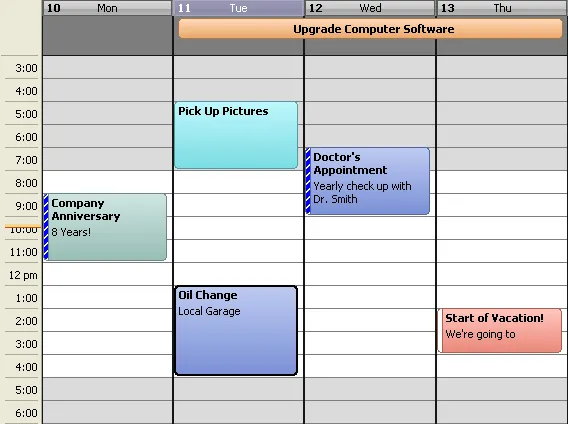
Applying the Office 2007 theme to the Calendar can be accomplished with only a few lines of code. You also have the option to change the base color used in the theme. By default the color will be the same color blue as used in Office 2007.
Start by instantiating a CalendarThemeOffice2007 object.
'Create a new Office 2007 theme object
Dim customOffice2007 As New CalendarThemeOffice2007
Next you can optionally define the base color used in the Office 2007 theme.
'set the base color for the Office 2007 theme to use
'This will give a default "gray" base color
customOffice2007.BaseColor = RGB(22, 22, 22)
Now apply the new Office 2007 theme to the Calendar.
'Apply the Office 2007 theme to the Calendar
CalendarControl.SetTheme customOffice2007
Support Links
User Comments
No comments yet, sign in to comment.